
A Beginner's Guide To Search Console: How Are People Finding You?
Use Google Search Console to choose a website property, read search queries, and assess one page before changing its title or content.
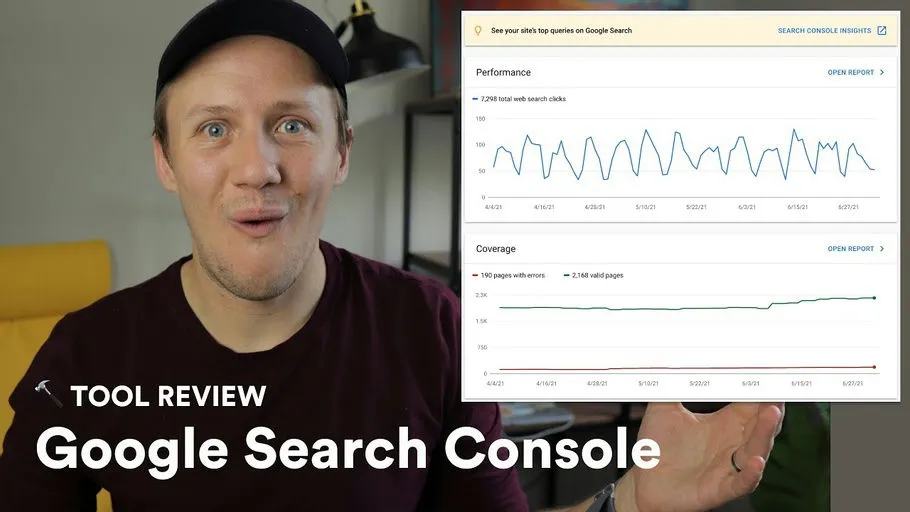
Google Search Console helps you see which searches bring visitors to your website. Start with one page you want potential customers to find. The original July 2021 video is linked above. The written steps below follow current Google documentation.
Add the right website property
A property defines the website data Search Console reports.
A Domain property covers protocols and subdomains and requires DNS verification.
A URL-prefix property covers the exact prefix you enter, including https:// and the hostname.
Choose the property you can verify and that covers the pages you need.
Follow Google's property setup instructions rather than guessing a DNS value.
Find the searches bringing visitors
Open the Search results Performance report and choose a date range. Review these measures:
- Clicks: Visits from Google Search results.
- Impressions: Times a link appeared under Google's reporting rules.
- CTR: Clicks divided by impressions.
- Average position: The reported average position of your site's highest result.
Filter by a specific page, then inspect its queries. A query with impressions and few clicks can suggest unclear page positioning. It can also reflect competition or search intent. A title change does not ensure more traffic. Google explains the measures and filters.
Compare pages before changing them
For a hypothetical freelancer directory, compare a profile page with a service-category page. They answer different searches, so their traffic numbers need different context. Choose one page with a clear customer action. Check whether its title and opening answer the queries already bringing impressions.
If you are still building the page, start with the marketplace MVP page structure. Record your change date and compare a similar later period. Account for seasonality and low traffic before attributing a change to your edit.
Keep learning
More guides, free videos and course access for existing members, all in one place.
Go to LearnRather have it built for you?
We'll match you with vetted agentic talent who build it with AI, inside the tools you already use.
Schedule a callRelated posts

How To Automatically Generate Open Graph Images For Your Landing Pages
A custom Open Graph image can show a page's own title and product screenshot when someone shares its link. This final landing-page lesson uses Placid to create that image from Airtable data. It follows approved Webflow updates.
Draft Landing-Page SEO Fields with Airtable and OpenAI
This landing-page series starts by drafting title tags, descriptions, and headings in Airtable. AI can produce a first draft from approved page facts. You still decide what gets published.

How to Automatically Create Facebook Ad Creatives For Your Landing Pages
Generate landing-page ad image drafts with Figma, Placid, Airtable, and Make, then review layouts and destination details.