
How to Find The High Quality Data for Your Directory 2025: Step-by-Step Guide
Find and check directory data, document image permission, review AI research, and standardize race distances deterministically.
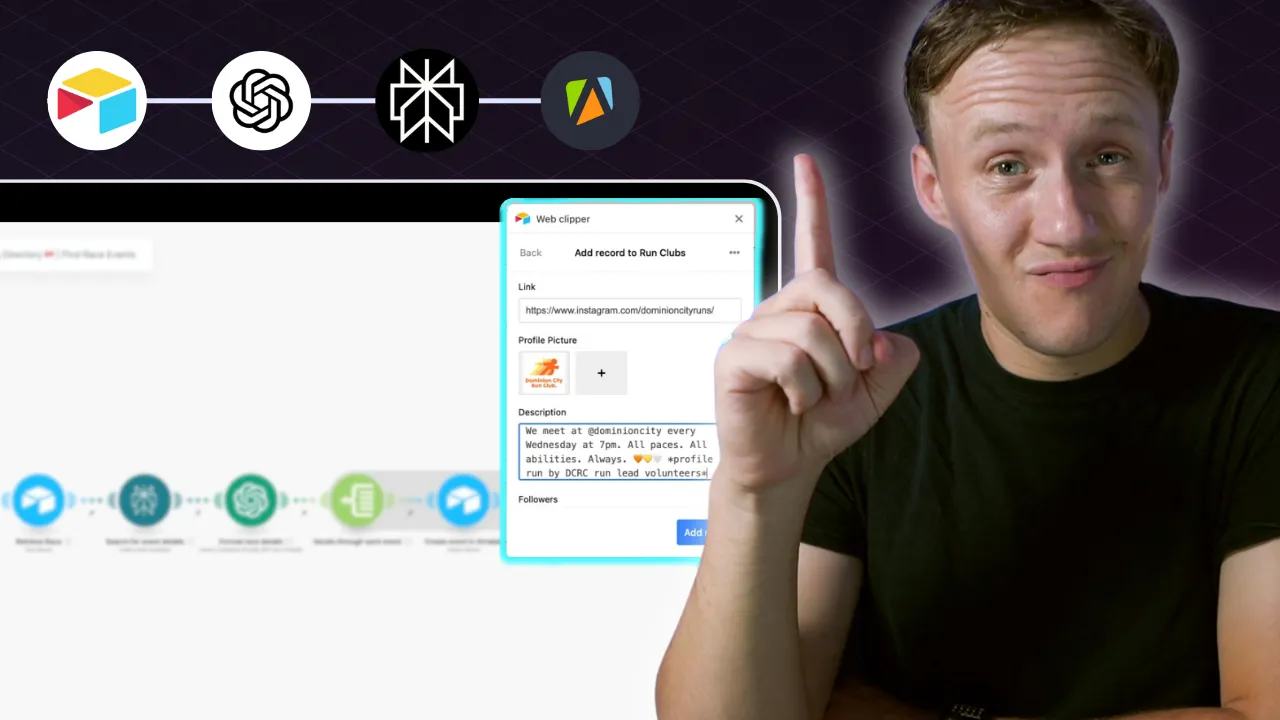
 Perplexity AI
 Apify
Apify Airtable
 OpenAI
How to Add Initial Directory Data
Start with listings you can check against an original source.
Choose checked sources before increasing volume
When building a directory, many people think the easiest way to populate it with data is to find another directory and scrape their content. Check source quality and reuse permission before collecting information in bulk. Here’s why scraping isn’t the answer: in most cases, the data you scrape will be riddled with inaccuracies or completely outdated. This creates a poor user experience, reduces trust in your directory, and ultimately hurts its potential to grow or generate revenue. The key to building a successful directory—both for user experience and future monetization—is to focus on quality over quantity. Manual curation also needs checks. Confirm each listing against its original source and record the checked date. It may take more time upfront, but the long-term benefits far outweigh the effort. Users trust your site more, and your directory becomes a reliable resource they return to again and again. Later in this guide, I’ll share some tools and strategies for using scraping techniques ethically and effectively, but if you’re just starting out, my advice is simple: start with the best data you can find, even if it’s less data. The quantity can come later, but quality is what sets your directory apart.
Where to Find Seed Data
Seed data refers to the first few listings you add to your directory. It’s your foundation—the starting point for building a rich, valuable resource. The best place to start finding this data is where most people are already looking: Google. A quick search can uncover a variety of sources to kick off your research, including:
- Blogs that feature curated lists or recommendations.
- Other directory sites that focus on your niche.
- Social media platforms like Reddit, where users discuss relevant topics and share insights.
While these sources are great for inspiration, many of them present a common challenge: their data is often unstructured. This means it’s not formatted in a way that makes it easy to add to your directory in a clean, consistent manner —a crucial step for enabling search and filtering features later on. To overcome this, focus on finding sources that include links to social media accounts for the listings. These links often lead to structured, up-to-date content, which is easier to integrate into your site.
How I Found My First Data Sets For The Running Directory
- Run Clubs: I found that most run clubs have active Instagram accounts. These are excellent sources for seed data because they’re typically:
- Managed by the club itself, meaning the information is up-to-date.
- Instagram pages all the same, making it easier to extract details like location, schedules, and images.
- Races: Many race blogs included links to websites and Facebook pages for individual events. While both are useful, I focused on Facebook pages because they often:
- Contain structured and well-organized data, like event details and photos.
- Are actively updated by race organizers, ensuring accuracy. By prioritizing structured and reliable sources like social media pages, you set the stage for a directory filled with accurate and well-formatted listings. Next, we’ll dive into how to efficiently collect this data and add it to your directory.
How To Efficiently Populate Your Database
Once you’ve found reliable sources for your seed data, the next step is adding that data to your database. If you followed my last post, you’ll know that I use Airtable as my database of choice. It’s beginner-friendly, flexible, and ideal for managing structured data. One of Airtable’s in-built tools I use for this task is the Airtable Web Clipper—a Chrome extension that makes adding data seamless as you browse. Using the Airtable Web Clipper The Web Clipper lets you quickly add information from websites directly into your Airtable base without switching tabs. Once configured, you can:
- Set up your Airtable Web Clipper:
- Install the Chrome extension and connect it to your Airtable account.
- Link it to the Airtable base where you’ll store your directory data.
- Clip data on the go:
- As you browse sites like blogs, social media, or directories, you can highlight the details you need and add them to your Airtable base with just a click.
- Save time and stay organized:
- No more copying and pasting between tabs. The Web Clipper speeds up data collection, making it efficient and straightforward.
How to Use CSS Selectors in the Airtable Web Clipper
The original Web Clipper workflow used CSS selectors to identify page elements. Those selectors need testing when page layouts change. Instead of manually entering information, you can configure the Web Clipper to extract specific data points directly. For example:
- Run Clubs on Instagram: I used CSS selectors to automatically capture:
- The club’s name.
- The Instagram bio or description.
- Profile images. By identifying and setting rules for CSS class names, the Web Clipper pulls this information automatically, saving you hours of manual work.
How to Set It Up
- Inspect the Website:
- Use your browser’s developer tools (right-click and select "Inspect") to find the CSS class names for the elements you want to target (e.g., name, description, or images).
- Configure the Web Clipper:
- In your Web Clipper settings, add the CSS selectors for each field in your Airtable base (e.g.,
.username,.profile-bio, or.image-container).
- In your Web Clipper settings, add the CSS selectors for each field in your Airtable base (e.g.,
- Test and Save:
- Test the configuration to ensure the correct data is being captured.
Tips for CSS Selector Success
- Best for Structured Sites: This method works best on sites with consistent structures, like Instagram and Facebook, where every page uses the same layout.
- Avoid Unstructured Sites: On less consistent websites, this approach can be tricky due to varying layouts.
- Need Help?: If you’re unsure how to find or use CSS selectors, ChatGPT can help:
- Copy the source code of the page.
- Ask ChatGPT to identify the selectors for the data you’re targeting (e.g., "What CSS selector extracts Instagram profile names?"). By combining the Airtable Web Clipper with CSS selectors, you’ll drastically speed up your data collection process while maintaining accuracy. In the next section, I’ll show you how to enrich this data to make your directory even more valuable.
How To Enrich Your Data For Your Directory
Once your database is populated with seed data, the next step is enriching it. Depending on the type of directory you’re building, this process can vary, but generally, data enrichment involves:
- Adding more detailed information about each listing.
- Sourcing image assets like logos or banners.
- Including reviews or additional content to make your listings more valuable.
Because the specifics of your data will depend on your directory’s focus, our enrichment workflows might differ. However, I’ll share two incredibly effective methods I use to level up the listings on The Running Directory.
How I Use Apify to Pull Race Images and Logos from Public Facebook Pages
Apify is a scraping tool that retrieves data from a wide range of sources, including Facebook Business Pages, Google My Business, Instagram, and more. Used responsibly, it can save you significant time by automating the process of gathering publicly available data. Apify works by using "actors" (prebuilt scripts) to scrape specific data. You provide inputs—such as the URLs of the Facebook pages you want to scrape—and the actor retrieves information like images, descriptions, and social stats.
How I Use Apify To Enrich Data on The Running Directory
For The Running Directory, I needed images to make my race listings visually appealing. Manually finding and downloading these images for every listing would have been incredibly time-consuming. Instead, I used the Facebook Page actor from Apify to automate the process. Here’s how I did it:
- Select the Scraping Actor:
- I used Apify’s Facebook Page actor, which is designed to scrape information from public Facebook Business Pages.
- Input the Data:
- I provided the actor with the URLs of the race event pages on Facebook.
- Retrieve the Data:
- The actor scraped details such as:
- The page’s follower count.
- Event descriptions.
- Most importantly, the Facebook banner image and logo.
- The actor scraped details such as:
- Store the Data:
- Once the actor completed its task, I saved the retrieved images and data directly into my Airtable base.
Check permission before reusing images
Public visibility does not grant reuse rights. An actor returning an image URL does not establish a license.
Ask the organizer for permission or use clearly licensed assets. Save the source URL, permission evidence, and checked date.
Follow the source platform’s rules and avoid private or unnecessary personal information. Do not bypass login or access restrictions.
Social page layouts and selectors change. Verify extracted values against the source before adding them to your directory.
How To Use Perplexity AI to Enrich Your Directory Data
When it comes to research and generating additional content for your directory, Perplexity AI is an absolute game changer. Unlike other tools, Perplexity AI combines the conversational ease of a chat model with real-time internet browsing. Its research features can return source links. Open those sources and check the claims before storing them.
What Is Perplexity AI?
Perplexity AI allows you to ask specific questions and retrieves answers directly from the internet, complete with references. For example, if you want to know what events are part of a specific race series, you can ask Perplexity AI, and it will search for the information, suggesting results with source links you still need to check.
How I Use Perplexity AI for Enrichment
I’ve used Perplexity AI in The Running Directory to:
- Research Individual Listings:
- For run clubs, I used Perplexity AI to find additional details like meeting schedules, notable events, or member reviews.
- Dive Deeper Into Race Series:
- When a race was part of a larger series, I asked Perplexity AI to identify the other events in the series and their respective details. This workflow has been invaluable for quickly enriching listings with meaningful and specific content that makes the directory more valuable to users.
Other Use Cases for Perplexity AI
- Finding reviews, links, or detailed descriptions for listings.
- Researching historical or unique details about businesses, events, or clubs.
- Gathering supporting content to make listings more comprehensive.
How to Use Perplexity AI Programmatically
If you find Perplexity AI useful, you can scale your workflow by using its API in tools like make.com. Here’s how:
- Test Queries First:
- Before scaling, experiment with Perplexity AI manually to ensure it retrieves the information you need.
- Set Up an Automated Workflow:
- Use tools like Make.com to send questions to Perplexity AI’s API programmatically.
- Example: Ask “What events are part of the Boston Marathon series?” and have the response automatically saved to Airtable.
- Review and Store Results:
- Double-check the AI’s answers for accuracy before adding them to your directory.
Things to Keep in Mind
- While Perplexity AI is incredibly powerful, it’s not perfect. There’s always a risk of retrieving inaccurate or incomplete information.
- Always verify the AI’s results before publishing them to maintain the credibility of your directory.
By incorporating Perplexity AI into your enrichment process, you can significantly enhance the depth and quality of your listings without spending hours researching manually. In the next section, we’ll move on to cleaning and standardizing your directory data for better usability and SEO.
How To Clean Your Data
Search and Filtering requires cleaned and consistent data formatting Now that we’ve covered how to find your seed data and enrich it, your database is likely starting to grow. But with growth comes a common problem: inconsistent formatting. For example, when I worked on The Running Directory, I noticed race distances were entered in all sorts of formats—“5km,” “5K,” “Five kilometers,” and so on. This inconsistency can create issues for key features like searching, filtering, and even SEO. It also impacts the overall professionalism of your directory. Another aspect of cleaning data is creating custom tags to highlight specific attributes of your listings, such as “Beginner-Friendly,” “Trail Run,” or “Marathon.” These tags make your directory easier to browse and more user-friendly. This process of standardizing, formatting, and organizing your database is what I call data cleaning. It’s just as important as finding and enriching your data because it:
- Improves your SEO by ensuring data is well-structured and easy for search engines to index.
- Enhances search and filtering on your site for better usability.
- Makes your directory look polished and professional.
Standardize exact values before using AI
For race distances, use a deterministic mapping. This keeps an unknown distance from becoming an invented distance.
function normalizeDistance(raw) {
  const key = String(raw ?? '').trim().toLowerCase().replace(/\s+/g, ' ');
  const known = new Map([
    ['5k', '5 km'], ['5km', '5 km'], ['5 km', '5 km'],
    ['five kilometers', '5 km'], ['five kilometres', '5 km'],
    ['10k', '10 km'], ['10km', '10 km'], ['10 km', '10 km'],
    ['half marathon', '21.0975 km'], ['marathon', '42.195 km']
  ]);
  return known.get(key) ?? null;
}
Store the raw value alongside the normalized value. A null result should enter review rather than overwrite checked data.
This illustrative before-and-after shows the mapping rule:
| Raw distance | Stored distance | Review |
|---|---|---|
Five kilometers | 5 km | Confirm event source |
5K | 5 km | Confirm event source |
Fun run | Empty | Required |
This checks formatting, not whether an event actually offers that distance. Confirm the distance on the organizer’s current event page.
AI can draft descriptions or suggest tags. Review those suggestions and keep the source evidence before approving them.
Example Use Cases for Data Cleaning
- Standardizing Formats: Convert inconsistent data into a uniform structure (e.g., race distances, phone numbers, or addresses).
- Generating Tags: Use OpenAI to analyze descriptions and assign relevant tags like “Trail Run” or “Beginner-Friendly.”
- Fixing Common Errors: Correct capitalization, remove unnecessary punctuation, or reformat dates.
Keep exact-value cleanup deterministic. Review AI suggestions before they replace checked listing details. While it may require some initial setup, the time saved—and the improvement in data quality—is well worth it.
One checked distance example
On October 7, 2026, the Toronto Waterfront Marathon organizer listed its 5K on October 17, 2026.
For that source value, the mapping above changes 5K to 5 km. Keep the organizer URL and checked date beside it.
This before-and-after verifies the source and formatting rule. It does not report an imported or published directory record.
Review one listing from source to page
Choose one organizer’s current page. Compare its date, location, distance, registration URL, and image permission with your saved record.
Record the source URL and checked date. Flag any conflict rather than choosing the most convenient value.
The examples above demonstrate transformation rules. They do not report a newly verified live listing.
Next, structure the directory database so raw data, checked data, and approval stay distinct.
Original video
Keep learning
More guides, free videos and course access for existing members, all in one place.
Go to LearnRather have it built for you?
We'll match you with vetted agentic talent who build it with AI, inside the tools you already use.
Schedule a callRelated posts

How to Monetize a Directory Website with Paid Online Communities
A directory can introduce vendors to a paid community. The community needs its own useful offer beyond exposure on your website.

Build Directory Category and Location Pages for Long-Tail Searches
Design directory category and location pages with useful listings, unique URLs, checked sync behavior, and realistic SEO expectations.
How to Build a Directory Outreach System
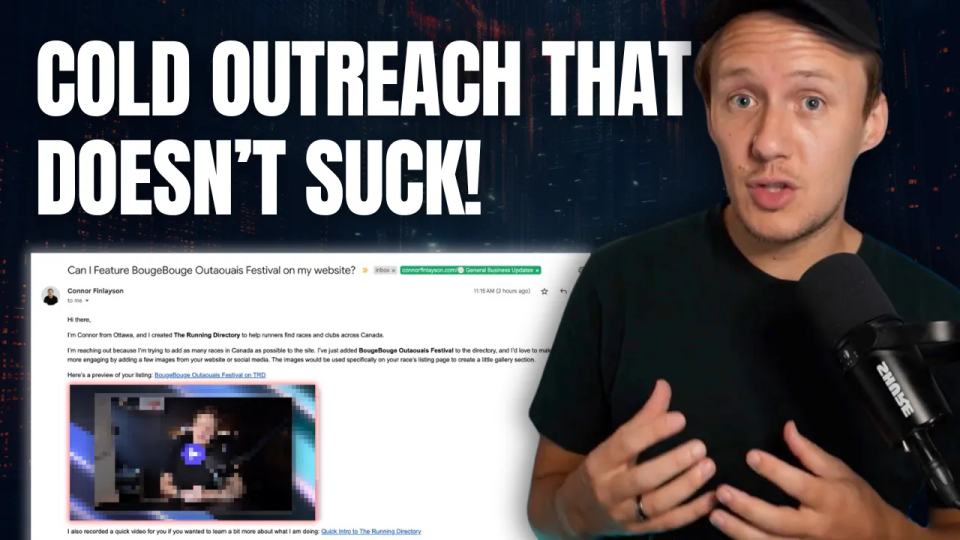
Prepare directory outreach drafts using listing previews and videos. Keep sends manual and track replies and stop rules.