
How to Count Words in Airtable: Step-by-Step Guide
Count whitespace-separated words in Airtable with normalised text, blank handling, and checks for repeated spaces, tabs, and line breaks.
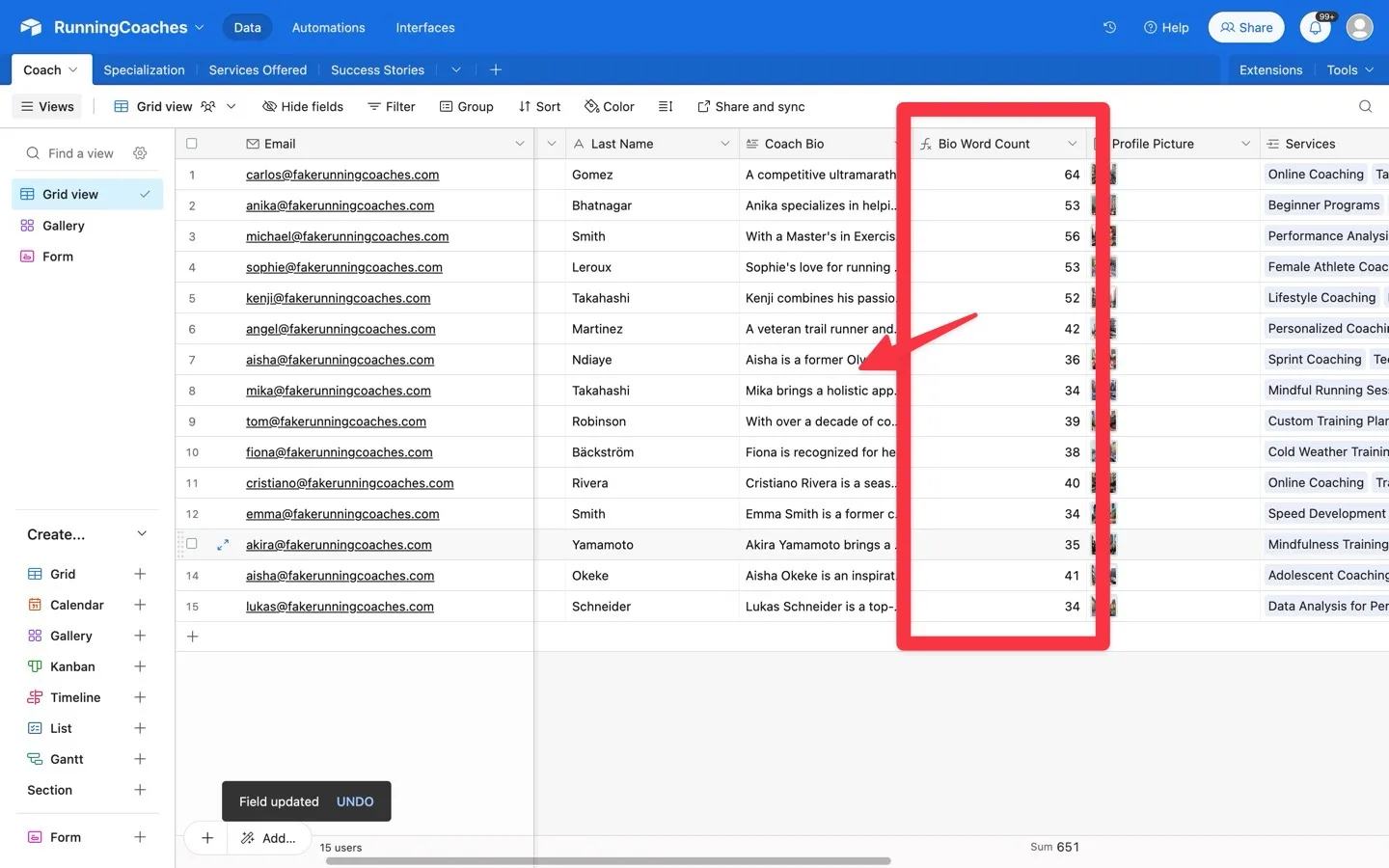
 Airtable
A simple space-count formula overcounts repeated spaces and misses tabs or line breaks. Normalise spaces, tabs, and line breaks first, then count the resulting words. This guide counts groups of non-whitespace characters, not linguistic words.
Create a normalised text field
Use a plain or long-text input field named Your Text Field.
Create a Formula field named Clean Text:
TRIM(REGEX_REPLACE({Your Text Field} & "", "\\s+", " "))
REGEX_REPLACE changes consecutive whitespace into one space.
TRIM removes spaces at the start and end.
The & "" expression turns a blank input into text for the calculation.
Airtable documents the formula functions.
Count the words
Create another Formula field named Word Count:
IF(
  LEN({Clean Text}) = 0,
  0,
  LEN({Clean Text}) - LEN(SUBSTITUTE({Clean Text}, " ", "")) + 1
)
A non-empty string has one more word than the number of spaces between words.
The blank check prevents empty text from counting as one word.
Keep Clean Text during testing so you can inspect the transformed input.
Check realistic inputs
| Input | Expected count |
|---|---|
| Empty field | 0 |
| Spaces only | 0 |
hello | 1 |
hello world | 2 |
hello world | 2 |
hello followed by a tab and world | 2 |
| Two words on separate lines | 2 |
well-known example | 2 |
don't stop | 2 |
Hyphenated words and contractions count as one token when they contain no whitespace. A URL or emoji also counts as a token. This does not match every editor's word count or segment languages without spaces. Some Unicode separators need separate handling. Rich-text markup can affect the result, so test your actual field content.
The counting logic was checked locally against these examples.
It was not executed inside an Airtable base.
Test the fields on a copied table before using the count in publication rules.
If you use counts to review descriptions before syncing, keep Word Count as a review field.
Map the approved description separately so the count does not replace its text.
Keep learning
More guides, free videos and course access for existing members, all in one place.
Go to LearnRather have it built for you?
We'll match you with vetted agentic talent who build it with AI, inside the tools you already use.
Schedule a callRelated posts

Build Custom AI Agents for Other Businesses
Scope a custom business agent around one workflow, approved sources, read-only testing, and human review.

How to Build Custom Webflow CMS Features with ChatGPT & AI
I built a weekly calendar for The Running Directory Canada using Webflow CMS content and ChatGPT-assisted JavaScript. The calendar grouped run-club events by weekday and moved today's day to the front.

How to Map Common Airtable Fields to Webflow CMS
Map Airtable values to Webflow CMS types using option IDs, image objects, deterministic rich text, and staged JSON examples.