
How To Create A content Publishing Workflow with No-Code
Plan a YouTube publishing workflow with separate website, Facebook, and LinkedIn fields, approvals, and posted-status records.
 Airtable
 Make
MakeWatch: How To Create A content Publishing Workflow with No-Code
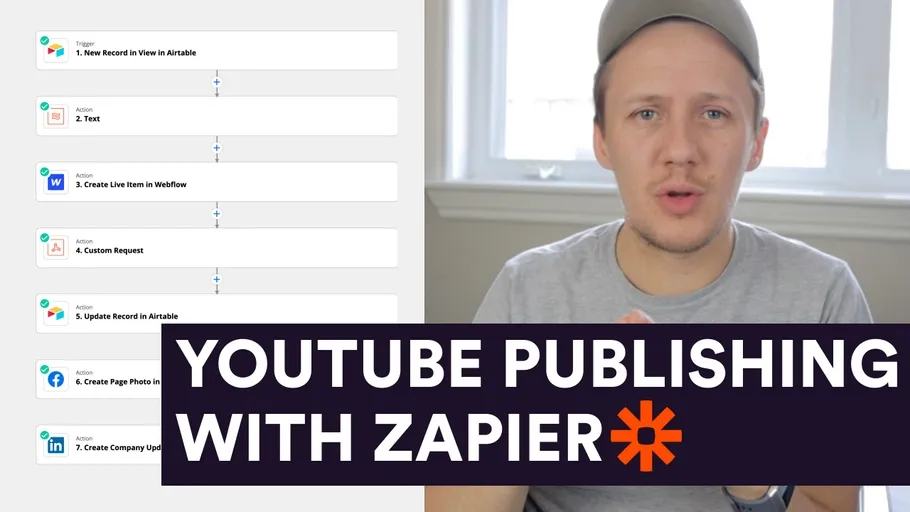
I set up a new workflow the other day that automatically publishes my YouTube videos to my Facebook account and LinkedIn. I filmed the step-by-step process I went through to set up this workflow. TIMESTAMPS:
- 00:00 Intro
- 01:12 Getting YouTube Videos in Airtable
- 05:52 Sending approved YouTube Videos to my website
- 16:31 Posting to Facebook
- 18:27 Posting to LinkedIn
LINKS: 🌏 https://connorfinlayson.com/
Track each publishing destination separately
This is my 2021 YouTube publishing workflow. Current account permissions and integration menus can differ. The chapters cover Airtable, my website, Facebook, and LinkedIn.
| Destination | Fields to review | Success record |
|---|---|---|
| Website | Title, summary, video link, approved state | CMS item ID |
| Page/account, caption, link or media format | Post ID and URL | |
| Member/company account, caption, link or media format | Post ID and URL |
Keep the YouTube video ID as the source key. Add a separate status and published ID for each destination. Approve captions and destination accounts before posting. When one destination fails, retry only that destination after checking whether a post already exists. An upload or scheduled item is different from a completed public post.
Start with one permitted test account and one source video. Check mobile previews and link destinations before adding more videos. For an earlier stage in the workflow, see Tella export to private YouTube upload.
Once source publishing works, prepare social drafts with AI while retaining review before posting.
Keep learning
More guides, free videos and course access for existing members, all in one place.
Go to LearnRather have it built for you?
We'll match you with vetted agentic talent who build it with AI, inside the tools you already use.
Schedule a callRelated posts

Build Custom AI Agents for Other Businesses
Scope a custom business agent around one workflow, approved sources, read-only testing, and human review.

How to Build Custom Webflow CMS Features with ChatGPT & AI
I built a weekly calendar for The Running Directory Canada using Webflow CMS content and ChatGPT-assisted JavaScript. The calendar grouped run-club events by weekday and moved today's day to the front.

How to Map Common Airtable Fields to Webflow CMS
Map Airtable values to Webflow CMS types using option IDs, image objects, deterministic rich text, and staged JSON examples.