
How To Setup an Airtable to Webflow Workflow in Make
Build Webflow fieldData JSON in Make with staged sample reads, option IDs, complete request examples, and explicit reuse.
 Airtable
 Webflow
 Make
MakeBuild an explicit fieldData body
Webflow CMS requests use field slugs and values that match the Collection schema. A custom JSON body helps when your automation module cannot express the field type you need. Check the current module before adding a custom request; support can change.
Read the Collection schema and a staged sample
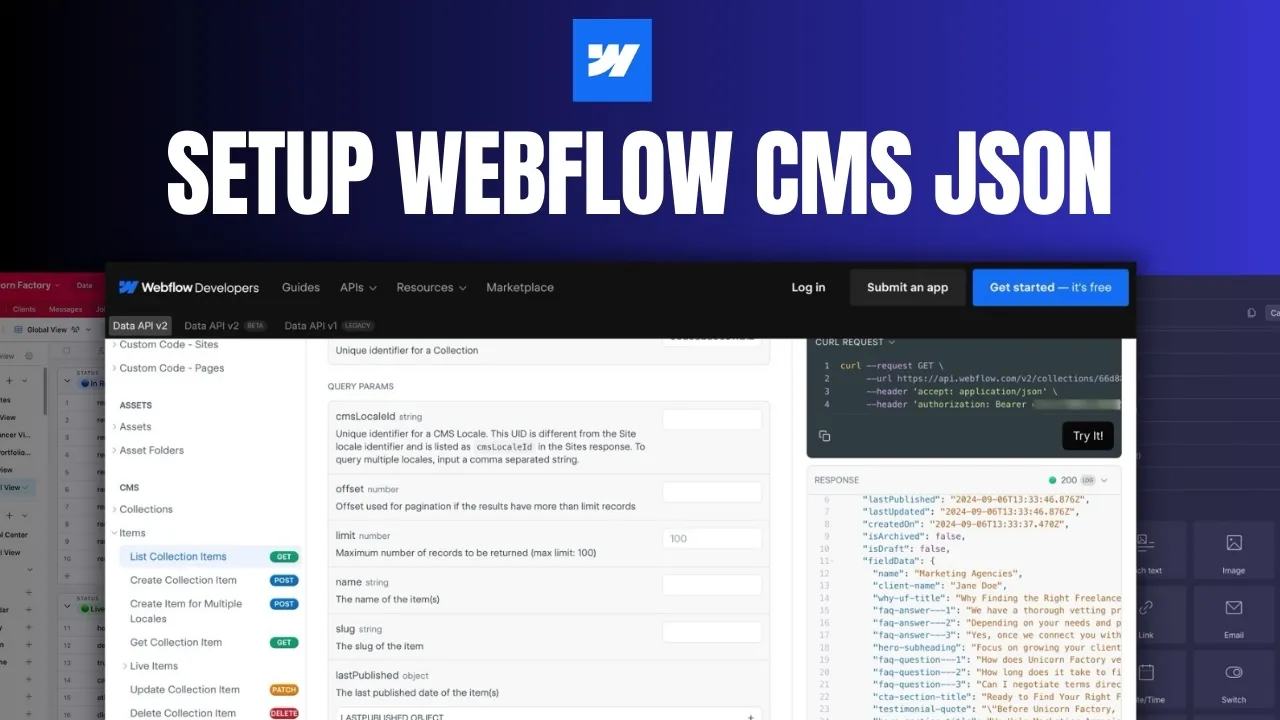
Retrieve Collection details to find field slugs, types, option IDs, and referenced Collection IDs. Use Webflow's staged-items API to inspect unpublished items. You do not need to publish a sample item to retrieve its staged data. The Collection schema is the field definition. A sample item's values do not replace that definition.
Populate a copied sample with representative text, a reference, and an option value. Inspect optional fields separately rather than assuming one response contains every possible field.
Create JSON in Make
Add Make's Create JSON module and define a data structure matching the request body. Generate a starting structure from valid sample JSON, then verify each field against the Collection schema. Map Airtable values into the actual field slugs. JSON construction handles escaping more reliably than manually joining strings.
Here is a complete illustrative staged-item body:
{
  "isArchived": false,
  "isDraft": true,
  "fieldData": {
    "name": "Example freelancer",
    "slug": "example-freelancer",
    "biography": "<p>I build directory websites.</p>",
    "available": true,
    "service-type": "option-id-from-your-collection",
    "city": "5f8d0d55a9337c5f0e0e7e0d",
    "services": ["5f8d0d55a9337c5f0e0e7e1f"]
  }
}
These custom slugs and IDs are example values. Replace them with your test Collection's definitions and item IDs.
For service-type, read the option field's metadata.options and match the Airtable label to its id.
Pass that ID string, not the display label.
Stop when the label is missing or matches no allowed option.
Send and read back one item
Send the body to POST https://api.webflow.com/v2/collections/{collection_id}/items with Bearer authentication and JSON content type.
The staged-item create reference documents the current request contract.
Keep the token in a protected connection or secret setting.
Check the status and returned item ID. Read that staged item back and compare the stored values with the expected values. Store the Webflow item ID against the Airtable record before allowing retries. A draft creation is separate from publishing. Test missing options, quotes in text, and an unresolved reference before adding more records.
Reuse the structure deliberately
A reusable Make data structure describes JSON fields. It does not automatically replace mappings in every scenario. Document which scenarios use it and which version each one expects. When changing the schema, review each affected mapping and rerun its copied-record tests. A shared subscenario or explicit configuration source can centralize transformation logic if you design that connection.
Use the field-by-field mapping guide for images, options, and references. Start with one successful draft item before building a reusable multi-workflow integration.
Keep learning
More guides, free videos and course access for existing members, all in one place.
Go to LearnRather have it built for you?
We'll match you with vetted agentic talent who build it with AI, inside the tools you already use.
Schedule a callRelated posts

Build Custom AI Agents for Other Businesses
Scope a custom business agent around one workflow, approved sources, read-only testing, and human review.

How to Build Custom Webflow CMS Features with ChatGPT & AI
I built a weekly calendar for The Running Directory Canada using Webflow CMS content and ChatGPT-assisted JavaScript. The calendar grouped run-club events by weekday and moved today's day to the front.

How to Map Common Airtable Fields to Webflow CMS
Map Airtable values to Webflow CMS types using option IDs, image objects, deterministic rich text, and staged JSON examples.