
Use the Tella Video API for Library Sync and Blog Drafts
Use Tella API pagination and playlist events for a library sync or reviewed blog draft, with duplicate and readiness checks.
 Tella
TellaMaking the video is not the hard part. For the period covered by this recording, I estimated filming at 30–50 minutes. Everything after that — YouTube upload, description, blog post, social clips, team sharing — could add 3–4 hours in that workflow.
Recording feels creative. Publishing feels like admin.
Tella's Video API closes that gap by letting tools like Make.com and Zapier pull video metadata and chain post-production steps automatically.
What the Tella API Does
An API lets two tools talk without you copy-pasting between dashboards.
With the Tella API you can programmatically access:
- Video title, description, and thumbnail
- Embed URL
- Chapters and full transcript
- Playlist membership
And push actions back: update videos, start exports, add to playlists.
Instead of opening Tella, copying the embed URL, pasting the transcript into ChatGPT, and manually filing the video — you chain those steps in an automation tool.
Use Case 1: Auto-Organize a Large Video Library
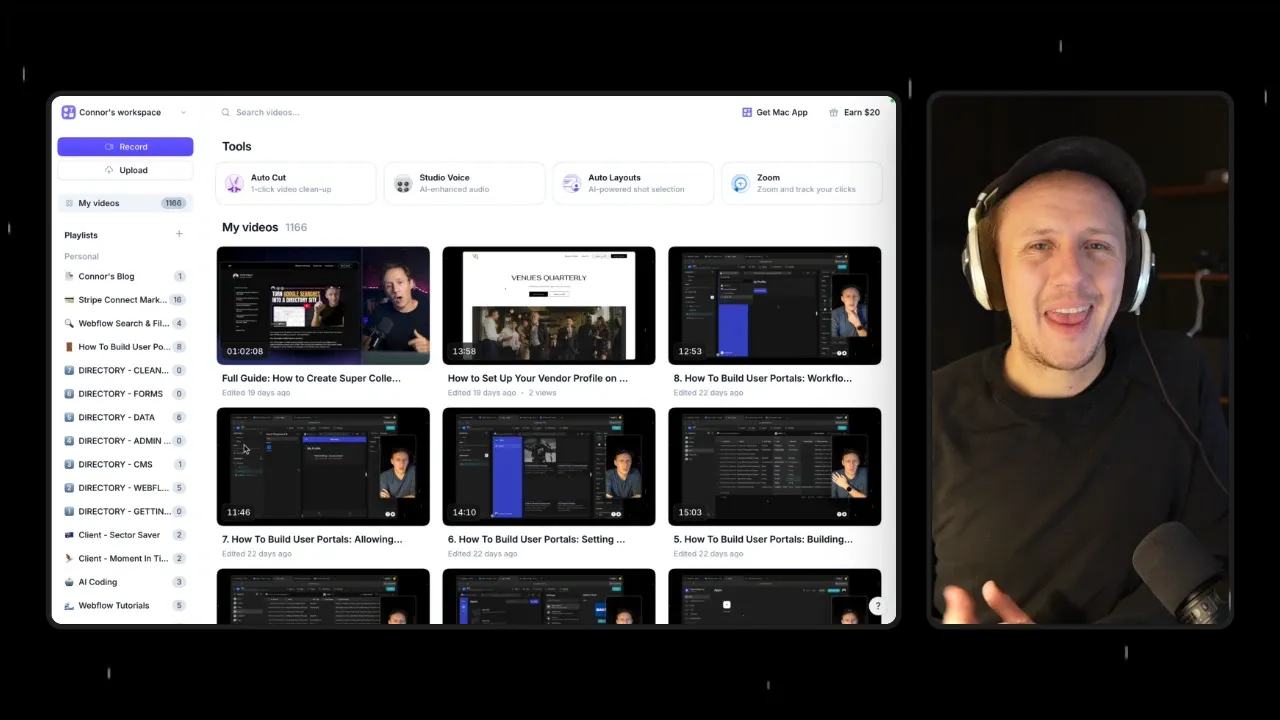
At the time of this recording, I counted 1,166 Tella videos. Manual playlist organization doesn't scale.
Here's the workflow:
- Sync videos to Airtable via the API — pull title, thumbnail, embed URL, chapters, and transcript
- Import your existing playlists into the same base
- Run an automation that reads the title + transcript + chapters
- Match each video to the best playlist using an AI step in Make
- Add the video to that playlist via the API — no manual dragging
The transcript and chapters are what make smart matching possible. You're not guessing from titles alone.
Use Case 2: Video → Blog Post (End to End)
This is the workflow that saves the most time. Manually, the repurposing loop looks like:
- Export video
- Upload to YouTube
- Copy transcript and chapters
- Paste into ChatGPT
- Copy the blog post into your CMS
My estimate for that manual process was 60–90 minutes per video. Measure your own hands-on work and waiting time.
Automated version:
- Trigger: Video added to a "Connor's Blog" playlist in Tella
- Retrieve video details via API (name, description, chapters, transcript, thumbnail)
- Generate blog post draft via OpenAI module in Make
- Create draft in Webflow CMS automatically
You stay in control by using a playlist as the trigger — only videos you explicitly add get turned into posts. The automation prepares the next draft; review still determines whether it is ready to publish.
When I tested this, Make pulled the transcript, generated structured markdown with an intro and sections, embedded the video, and created a draft in my Webflow blog. That observation does not establish current run time or publication.
How to Get Started
Don't build a 20-step monster on day one. Pick one outcome:
Starter A — Sync library to Airtable List all videos → store metadata → you now have a searchable content database.
Starter B — Playlist → blog draft One playlist trigger → retrieve transcript → AI write → CMS create.
Use Make (more flexible) or Zapier (simpler). Read the Tella API docs once to see available endpoints, then build a 3–5 step scenario.
What's Next
Once the basics work, extend the pipeline:
- Auto-upload exports to YouTube
- Personalize sales video transcripts per recipient
- Tag videos by transcript keywords
- Chain video → blog → email → social in one flow
The core win: the API connects the manual steps you already do after every recording, so you ship content faster with fewer moving pieces.
A small scenario with a reviewable output
For a library sync, request GET https://api.tella.com/v1/videos?limit=20 using a protected Bearer token.
Tella’s list endpoint returns a page, not the complete library.
Follow the returned pagination cursor until there are no more pages.
Store each video by its Tella ID so repeated syncs update existing rows.
For a blog draft, retrieve one video using GET /v1/videos/{id} with the documented transcript and chapter options.
Check transcript availability before generating copy. Queue unavailable transcripts for a later read rather than drafting from a title alone.
Use the video ID plus content version as the draft key.
Tella webhooks support playlist.video_added.
The event reaches the user who adds the video, which may differ from the playlist owner.
Confirm the subscribed user, playlist ID, signature verification, and repeated-event handling.
Check playlist membership again before preparing the CMS draft.
Keep Queued → Source Ready → Draft Created → Reviewed states with a CMS item ID and last error.
Generation prepares a draft. A content owner checks claims, links, and source meaning before publishing.
Use the transcript-to-blog guide for that editorial review.
For a video-upload workflow, continue with Tella to YouTube.
Keep learning
More guides, free videos and course access for existing members, all in one place.
Go to LearnRather have it built for you?
We'll match you with vetted agentic talent who build it with AI, inside the tools you already use.
Schedule a call